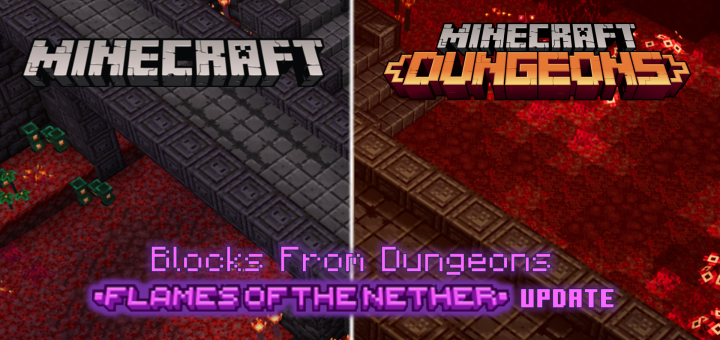
Ever wanted to recreate a place from Dungeons in Minecraft? If you have, this add-on is for you! This pack adds more than 300 blocks to help you create your dream build.
This addon adds blocks from Minecraft Dungeons into normal Minecraft. There are over 300 blocks to help you complete your build. It’s now easier than ever to recreate the Camp, the Nether Portal, and other builds that caught your eye while going through a level!
Please read the entire description before downloading. There are some stuff that are very important and you do not want to miss. Thank you.
Block Palettes
Grassy Soil
There are currently 4 blocks in this series:
- Soil (0% Grass)
- Slightly Grassy Soil
- Very Grassy Soil
- Soil Grass Block (100% Grass)
Each block has a different amount of grass on them. Dirt in Dungeons has a brighter and smoother texture than dirt in vanilla Minecraft. This is why I added Soil!
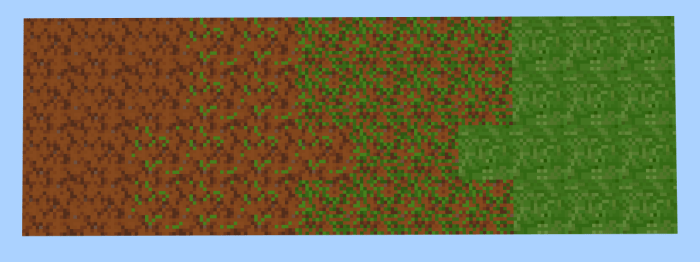
^ The Grassy Soil palette. (From left to right: Soil, Slightly Grassy Soil, Very Grassy Soil, Soil Grass Block)
Stone Tiles
There are currently 5 blocks in this series:
- Stone Tiles (0% Soil)
- Slightly Soiled Stone Tiles
- Very Soiled Stone Tiles
- Rocky Soil
- Stone and Soil Tiles (50% Soil)
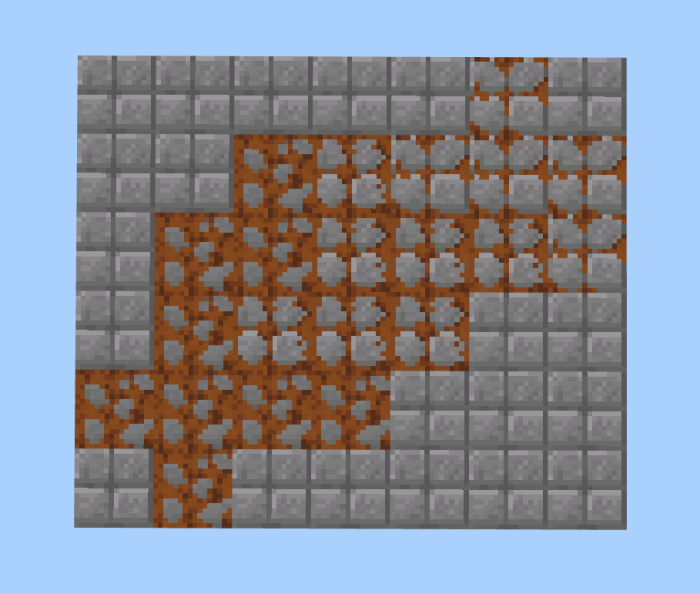
^ The Stone Tiles palette. (From top-right to bottom-left: Stone Tiles, Slightly Soiled Stone Tiles, Very Soiled Stone Tiles, Rocky Soil, Stone Tiles)
Sandy Stone Bricks
There are currently 4 blocks in this series:
- Slightly Sandy Stone Bricks
- Semi-Sandy Stone Bricks
- Very Sandy Stone Bricks
- Chiseled Sandy Stone Bricks
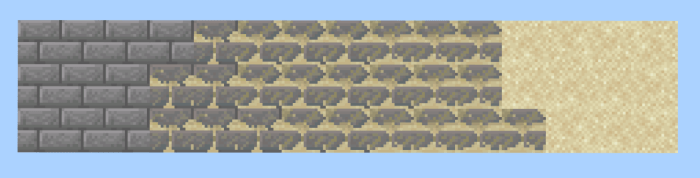
^ The Sandy Stone Bricks palette. (From left to right: Stone Bricks, Slightly Sandy Stone Bricks, Semi-Sandy Stone Bricks, Very Sandy Stone Bricks, Sand)
Ice Blocks
There are currently 7 blocks in this series:
- Shiny Ice
- Cracked Shiny Ice
- Snowy Shiny Ice
- Ice Fort Bricks
- Frosted Ice Fort Bricks
- Chiseled Ice Fort Bricks
- Smooth Ice Fort Bricks
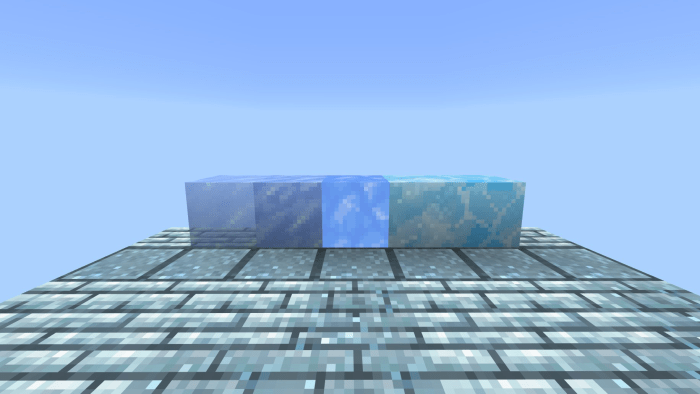
^ The Ice Blocks palette.
Frosted Blocks
There are 21 blocks in total that are considered frosted:
- Frosted Oak Log
- Frosted Oak Planks
- Somewhat Snowy Frosted Oak Planks
- Very Snowy Frosted Oak Planks
- Settlement Planks
- Snowy Settlement Planks
- Settlement Tiles
- Slightly Snowy Settlement Tiles
- Very Snowy Settlement Tiles
- Chiseled Settlement Tiles
- Patterned Settlement Tiles
- all Ice Blocks
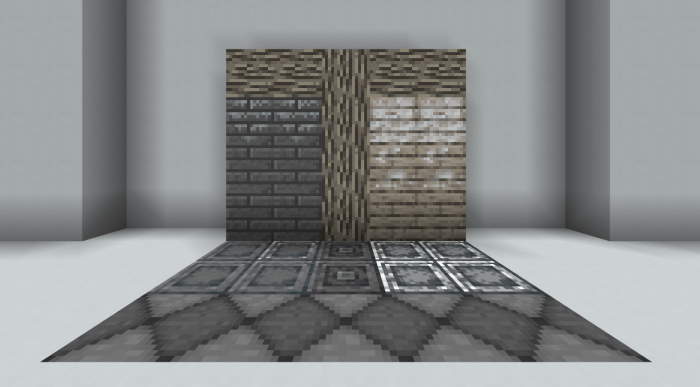
^ 11 out of 21 frosted blocks.
6 Retextured Paintings
including:
- Squid Coast Painting
- Redstone Monstrosity Painting
- Creeper Head Painting
- Tropical Island Painting
- Crocodile Painting
- Arch-Illager Portrait
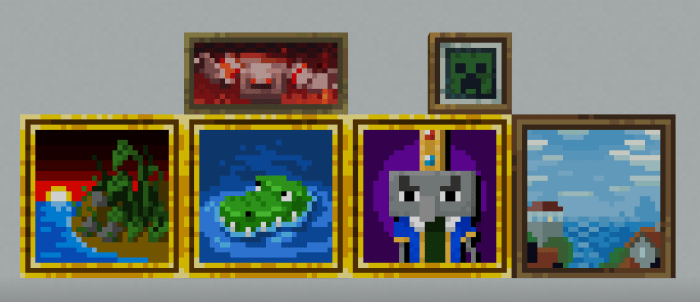
^ 6 paintings.
Fences
including:
- Bone Fence
- Wrapped Bone Fence
- Black Nether Brick Fence
- Snowy Spruce Fence
- Burnt Fence
- Cobblestone Fence
- Frosted Oak Fence
- Very Snowy Frosted Oak Fence
- Jungle Boardwalk Fence
- Cracked Stone Brick Fence
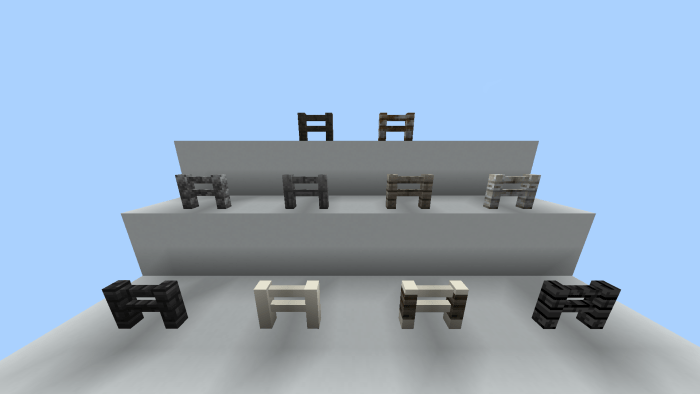
^ 10 fences.
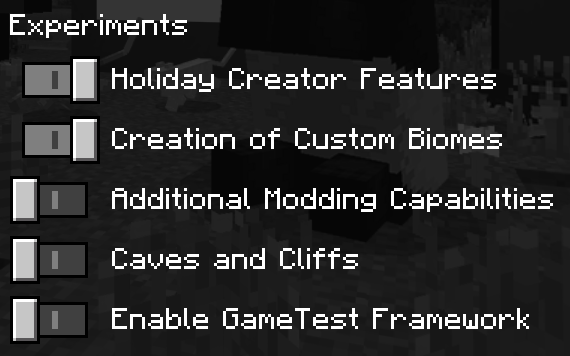
Fences are very experimental and requires activating a separate pack to function correctly.
The Secondary pack should be equipped automatically when you equip the main resource pack. Ensure that it is placed on top of the main resource pack, like in the picture below:
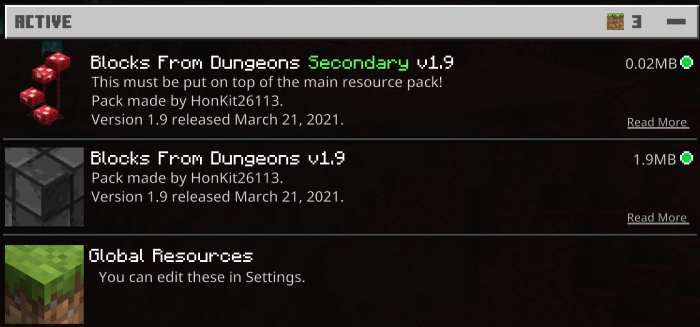
Please remember this is an experimental feature and may be removed, or stop working in a future update.
Known Issue: All fences have dark shadows.
These aren’t the only blocks added in this addon! There are loads more for you to try out!
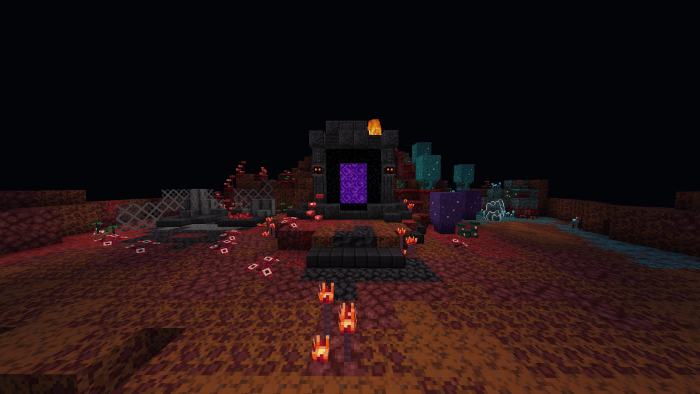
^ The Nether Camp rebuilt!
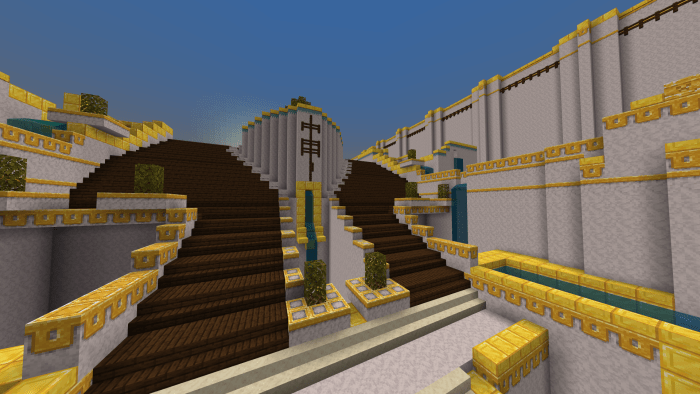
^ A part of Gale Sanctum rebuilt!
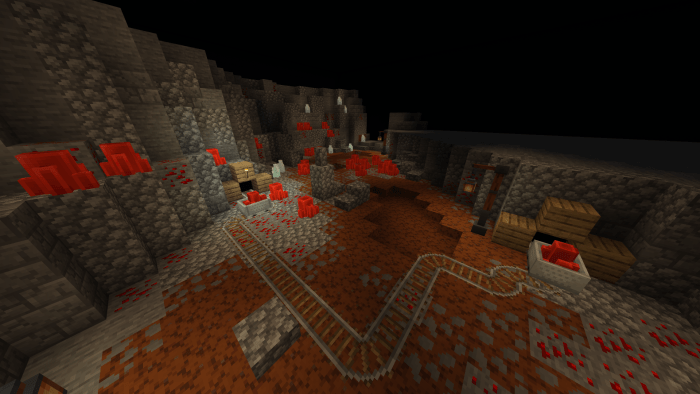
^ A part of Redstone Mines rebuilt!
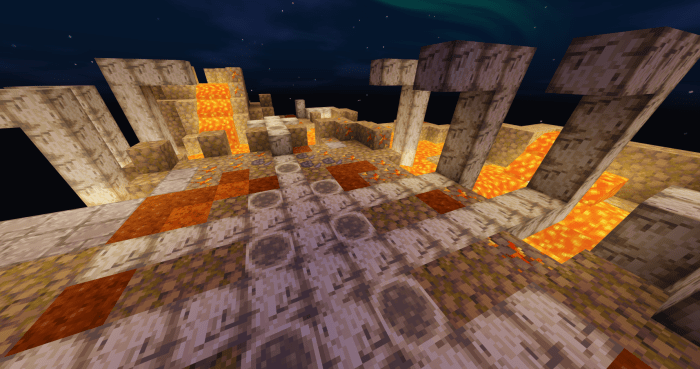
^ A part of Dingy Jungle rebuilt! (using ESBE 2G Shader v5.0 by @Mcbe_Eringi)
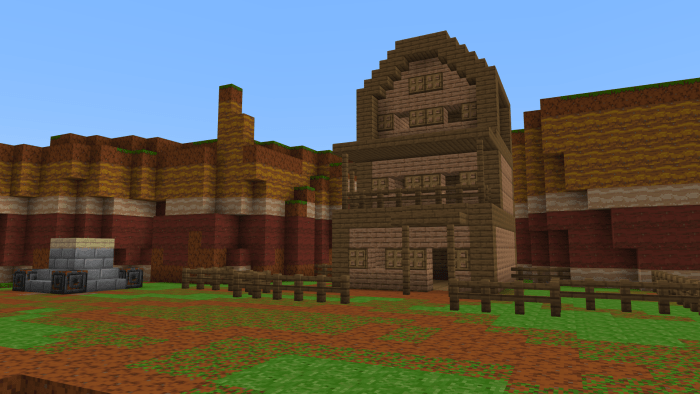
^ A part of Cacti Canyon rebuilt!
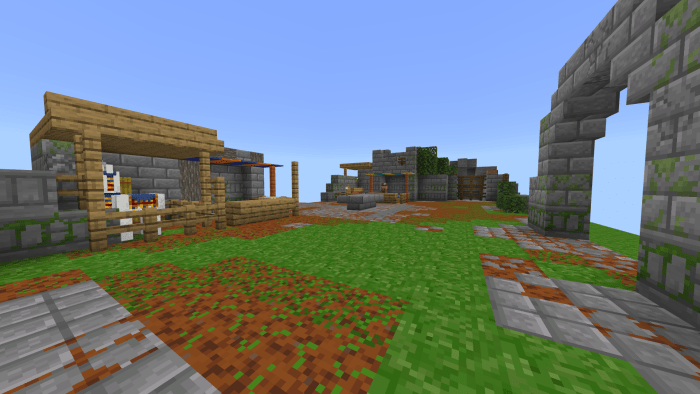
^ The Camp rebuilt in Minecraft!
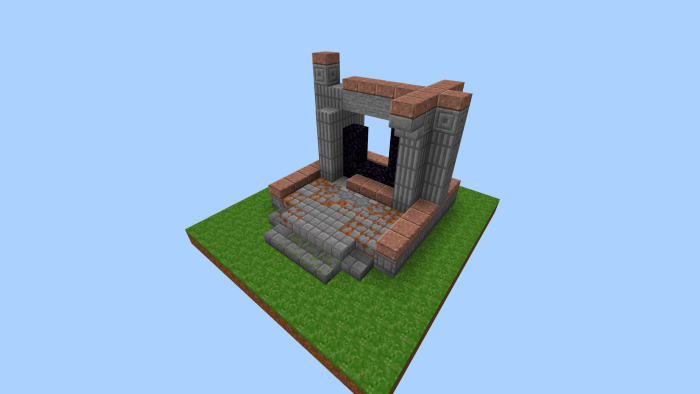
^ The Nether Portal found at the Camp rebuilt!
These blocks aren’t just limited to being used for rebuilding stuff from Minecraft Dungeons! They can be used to make just about anything you want.
Things to note
In 1.16, there is a bug where custom blocks from addons do not show up in the creative inventory. Therefore, I have added items that you can use to place the new blocks. They can be found in the inventory. There is an item for every block added. Because they are items, they appear 2D in your hand.
These items are temporary additions. They will be removed when Mojang fixes the bug that causes custom blocks to not appear in the creative inventory.
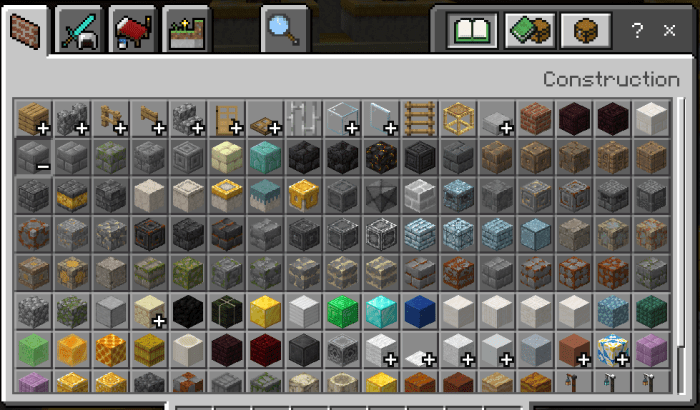
The custom blocks also do not show up in the recipe book. For the recipes, check out this document here. (Google Docs). To obtain custom blocks, place them using the items, craft them, or use one of these commands:
- /give [player] dungeons:[block]
- /function giveallblocks1
- /function giveallblocks2
- /function giveallblocks3
- /function giveallblocks4
- /function giveallblocks5
- /function giveallblocks_1.9_1
- /function giveallblocks_1.9_2
- /function giveallblocks_1.9_3
- /function giveallblocks_1.9_4
- /function giveallblocksjungle
- /function giveallblockswinter
- /function giveallblocksmountains
- /function giveallslabs
- /function giveallpaths
For the [block] values, check the last few pages of this document. There are too many to be listed here. The “giveallblocks” function gives you 1 of each block added in this addon.
There is also a map showing you what you can build with these new blocks! It includes some of the builds in the images above. The download can be found in the Downloads section.
Leave a Reply